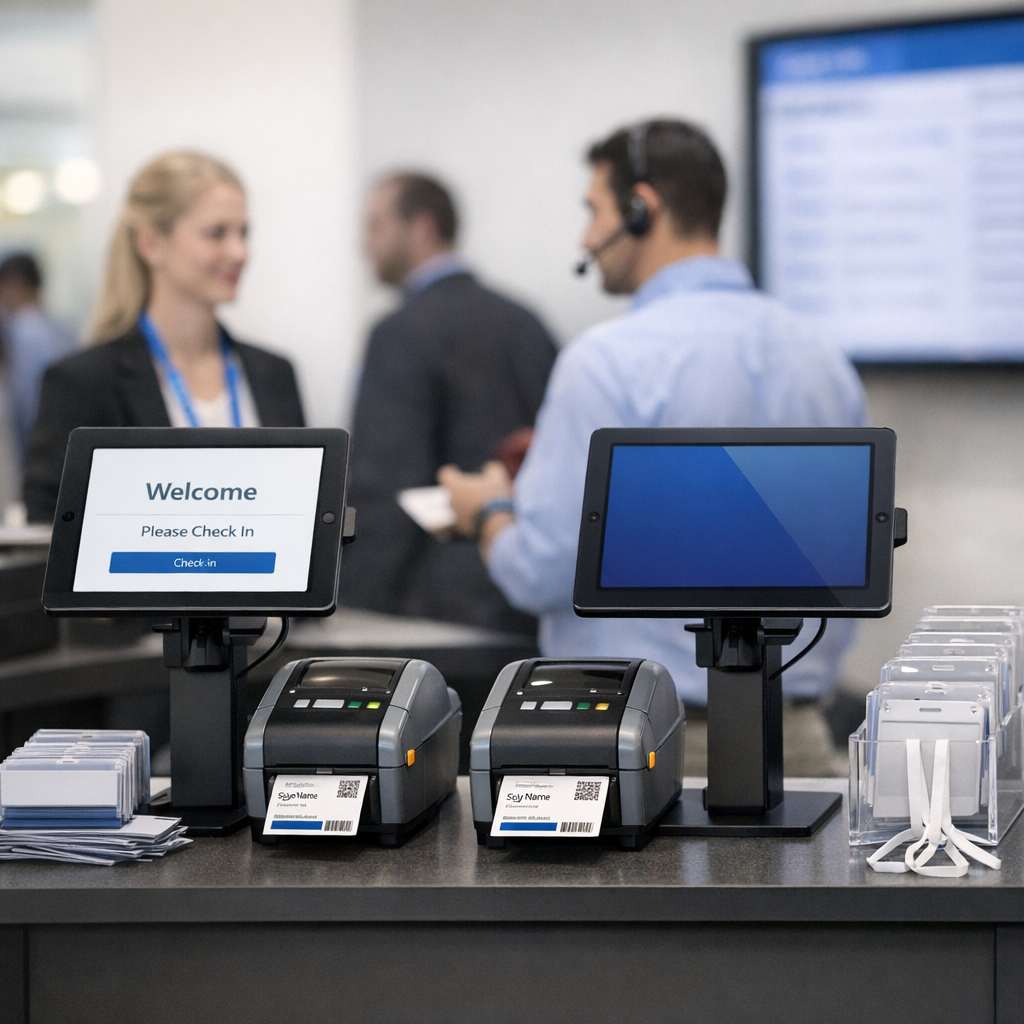
Creating a Smooth and Efficient Event Check-in Experience
Walk into any busy conference or trade show, and you’ll notice one thing immediately: the check-in line can make or break the attendee experience. A slow, chaotic entry creates frustration before the event even begins. On the other hand, a smooth, self-service check-in process sets a professional tone and keeps everything flowing. That’s exactly where modern event check-in terminals come in.
This guide walks you through how to build a reliable, high-performance event check-in station based on real-world setups. You’ll learn what hardware works best, how to configure it for fast onsite badge printing, and what kind of performance you can realistically expect. Along the way, we’ll also explore practical improvements and ideas to optimize speed and usability.
Building the Hardware Foundation for Reliable Check-in
Understanding the Core Components of a Check-in Terminal
At its core, an event check-in terminal is a combination of hardware and software designed to identify attendees quickly and produce badges on demand. The setup described here focuses on reliability, flexibility, and scalability.
The hardware stack includes an industrial QR code scanner, an Epson C-3500 printer, a full HD display, and a compact office PC acting as the system’s brain. A Wi-Fi keyboard with a touchpad provides manual control when needed, while USB-A and USB-C ports extend functionality for additional use cases like media uploads.
One important addition is a small network switch, which allows multiple terminals to be connected via stable wired connections. This is especially useful at larger events where Wi-Fi congestion can quickly become a bottleneck.
A diagram or labeled image of this setup would be helpful here to visualize how each component connects.
The choice of an industrial scanner is particularly important. By supporting both keyboard emulation and COM-port modes, it ensures compatibility with a wide range of event software, including legacy systems that rely on serial communication.
Achieving Fast and Scalable Badge Printing Onsite
Onsite Badge Printing: Speed and Reliability in Practice
Onsite badge printing is one of the most valuable features of a check-in terminal. Instead of pre-printing thousands of badges, organizers can produce them on demand, reducing waste and allowing last-minute registrations.
In this setup, the printer is connected directly to the PC via USB. This eliminates network-related printing issues and ensures a stable, predictable workflow. Printing is typically triggered through a browser kiosk, making the system flexible and easy to deploy with different platforms.
Real-world performance shows printing times between 7 and 12 seconds per badge. This includes data processing, communication with the event software, and the actual print operation. The variation often depends on whether the software requires a live internet connection.
The use of Butterfly-Badge paper from Parthen simplifies maintenance. Since the paper is fed from behind the printer, refilling is quick and minimizes downtime during peak check-in periods.
For high-volume events, this setup scales well. For example, handling 150 to 200 attendees per hour per terminal is achievable. At one large event with 8,000 attendees, 10 terminals and a small support team were enough to maintain a steady flow without long queues.
A performance chart comparing check-in throughput per terminal could be useful here to illustrate scalability.
Integrating Software for Seamless Check-in Workflows
Choosing and Integrating Event Check-in Software
The software layer is just as critical as the hardware. A well-designed check-in application determines how quickly attendees can be processed and how seamlessly the system operates.
Testing with platforms like eventpage.ai, eventsair.com, and Regasus has shown that most modern event software works well with this type of setup. The key requirement is straightforward: the software must support direct printing through a standard print dialog.
Browser-based kiosk setups are particularly advantageous. They simplify deployment, reduce the need for complex installations, and allow for quick updates. However, they also introduce potential dependencies on internet connectivity, which can impact performance.
An ideal workflow looks like this:
Attendee scans QR code → system retrieves registration data → confirmation screen appears → badge is printed instantly.
Adding a simple flowchart here would help readers understand the process at a glance.
Flexibility is another major benefit. Because the scanner can operate in different modes, the same hardware can support a wide range of software environments without requiring major changes.
Extending Functionality and Optimizing Performance
Beyond Check-in: Expanding the Terminal’s Capabilities
While the primary purpose of these terminals is check-in and badge printing, their functionality can be extended significantly. By adding accessible USB ports beneath the screen, the station can double as a media upload or distribution point.
This is particularly useful for conferences where speakers need to upload presentations or attendees want to access digital materials. It can even be adapted into a purchase terminal for event-related products or services.
This multifunctional approach increases the return on investment for each terminal and reduces the need for additional equipment onsite.
An image showing a terminal in both check-in and media upload use would add clarity here.
Practical Tips to Improve Performance and Reduce Printing Time
If you’re aiming to push badge printing closer to 5 seconds, the challenge is less about the printer itself and more about optimizing the entire workflow.
First, minimize software latency. Locally cached attendee data can significantly reduce lookup times compared to relying on live API calls. If offline mode is available, it’s worth enabling.
Second, streamline the print layout. Complex badge designs with high-resolution graphics take longer to process. Simplifying the design can shave off valuable seconds.
Third, pre-render print jobs where possible. Some systems allow badge templates to be prepared in advance, reducing the time needed at the moment of check-in.
Fourth, ensure the PC hardware is not a bottleneck. Even a small upgrade in processing power or SSD speed can make a noticeable difference in rendering and print spooling times.
Fifth, use wired connections wherever possible. While your current setup already benefits from USB printing, ensuring stable network access for the software layer is equally important.
A table comparing optimization techniques and their expected impact on speed would be helpful here.
Finally, consider parallel workflows. For very large events, splitting tasks across multiple terminals or adding dedicated “scan-only” stations can further reduce perceived wait times.
Delivering a Professional and Scalable Event Experience
Conclusion
Building an effective event check-in terminal is about more than just assembling hardware. It’s about creating a seamless system where every component—from scanner to software—works together to deliver a fast and reliable experience.
The setup outlined here has already proven itself in real-world scenarios, handling thousands of attendees with consistent performance. With the right optimizations, it’s possible to push efficiency even further and move closer to near-instant badge printing.
As events continue to grow in size and complexity, investing in a well-designed check-in system is no longer optional. It’s a key part of delivering a professional and stress-free experience for every attendee.
If you’re planning your next event, now is the time to evaluate your check-in process and explore how a tailored terminal setup could transform it.
References and Further Reading
For readers interested in exploring further, consider looking into documentation and case studies from event software providers such as EventMobi, Cvent, and Bizzabo. Hardware-specific insights can be found in Epson’s official documentation for the ColorWorks C-3500 printer. Additionally, industry blogs on event technology trends often provide valuable benchmarks and optimization strategies.
You may also explore the original implementation examples and insights shared by Visolite.de for practical, field-tested approaches to event check-in systems.